Skip to content

X3 Pro Goes on Sale on the 17th . Learn More>>

X3 Pro Goes on Sale on the 17th . Learn More>>

  • AR Glasses
  • Shop by Interest
  • Explore
  • Support
  • About RayNeo
Login
  • English English
Search
RayNeo.EU
  • AR Glasses
  • Shop by Interest
  • Explore
    • Blogs

    • RayNeo Members

    • Join RayNeo Group

  • Support
    • Download

    • Compatibilities

    • Track Your Order

    • How to Use & FAQ

    • Contact Us

  • About RayNeo
  • English English
Search Login Cart 0
Cart

Your cart is currently empty.

Not sure where to start?
Try these collections:

  • Continue shopping
    Order special instructions
    Estimate shipping rates
    Discount
      Tax included. Shipping calculated at checkout.
      Subtotal
      €0,00 EUR
      View cart
      Recently viewed
      Search

      We use cookies

      This site uses cookies for better user experience and analytics.

      Home Search Shop 0 Cart Account
      1. Home
      2. RayNeo XR APP Android
          • Overall Statement
          • Laptop/PC
          • Phones
          • Gaming Consoles
          • Tablets
          • Device Compatibility Check Lists
          • Refresh Rate
          • Color Mode
          • Whisper Mode
          • Brightness
          • Volume
          • Resolution Settings on the Handheld Gaming Consoles
          • Nose Pad Adjustment
          • Temple Adjustment
          • Prescription Lenses Purchase
          • Prescription Lenses Installation
        • 2D/3D Mode
          • Connect to Compatible Devices
          • Pocket TV
          • RayNeo XR APP for iOS
          • RayNeo XR APP for Android
        • APP Download
        • Requirements of PC
        • APP Features and User Guide
        Upgrade
        Download
        FAQs

        RayNeo XR APP Android

        Latest Version


        ios:https://www.rayneo.com/pages/download

        What's In The Box

        Instructions for Using RayNeo XR Glasses


        Trackpad Operations

        In the software of RayNeo XR glasses and its built-in third-party applications, the mobile phone will serve as the controller, and you will operate using the default controller of RayNeo XR glasses.

        Move the mobile phone: Hold it with one hand and try to move it to control the movement of the ray.

        Single-finger confirmation: Tap the screen with one finger to perform the confirmation operation.

        Single-finger left/right swipe: Swipe left or right with one finger to perform left and right page turning.

        Single-finger up/down swipe: Swipe up or down with one finger to perform up and down page turning.

        Constant-on button of the glasses: Click the constant-on button of the glasses, and the glasses will not turn off after being connected to the mobile phone.

        Home button: Click the Home button to return to the home page.

        Settings button: Click the Settings button to open the control center


        What's In The Box

        Head Operations

        Horizontal left and right rotation of the head: You can view more screens on the desktop. Head interaction supports 1DoF.


        Games

        There is a built-in game store in the software, and you can download small games in the game center of the dock bar for playing.


        What's In The Box

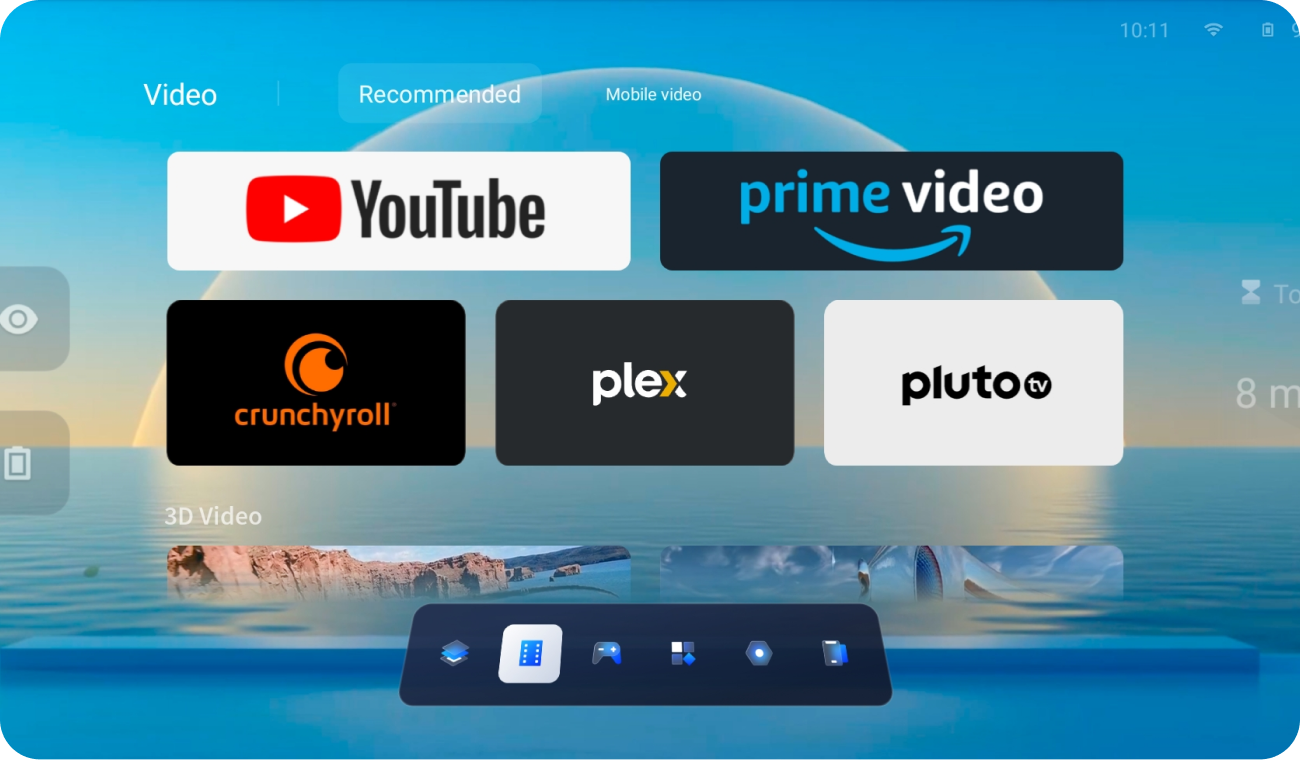
        Films and TV Series

        There are built-in film and TV applications and film and TV content based on the web end.


        What's In The Box

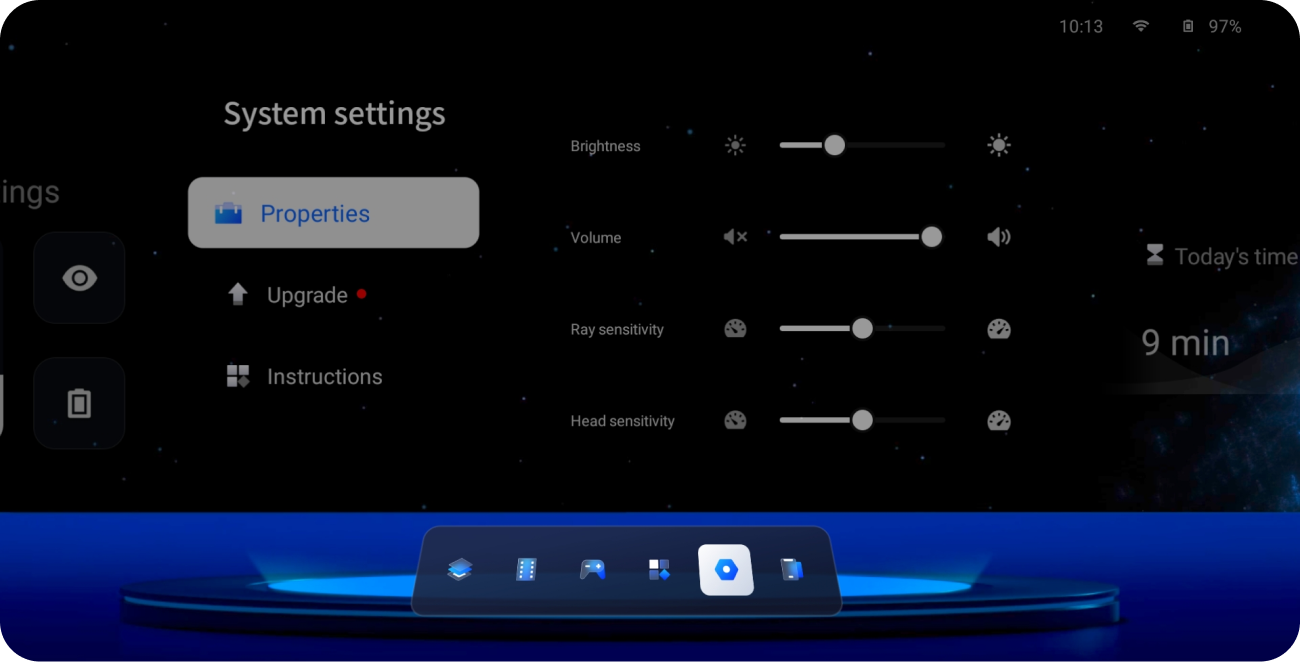
        Settings of Glasses Parameters

        You can set the parameters of the glasses, including color, whisper, firmware, etc., on both the front page and within the XR space.


        What's In The Box

        Application Store

        Manage the downloaded applications.


        What's In The Box

        Player & Nas Cloud Disk

        There is a local professional player that supports 3D left and right and 2D video playback. The 3D resolution is 38401080, and the 2D resolution is 19201080. Import the required film and TV content to the mobile phone, and you can quickly view it under the local video folder module.

        The player supports external subtitles, including subtitle files in srt and ass formats.

        Supports access to Nas private cloud.


        What's In The Box

        WebXR Content

        Experience VR content or 360 content based on the webxr standard protocol.

        30-day Price Protection

        If the price of the item drops within 30 days, you can contact us for a price difference refund.

        30-day Free Return & Exchange

        Free Return & Exchange within 30 Days

        Fast Free Shipping 3-5 Days​

        Free Shipping on All Products,Shipping Time: 3-5 Days​

        Guaranteed for Excellence​

        One year warranty on craftsmanship. Lifetime technical support included.

        Support
        • Download
        • Track Order
        • How to Use
        • Contact Us
        • Open Platform
        • Compatibilities
        Policies
        • T&C
        • Warranty
        • Refund Policy
        • Privacy Policy
        • Shipping Policy
        RayNeo
        • About Us
        • Contact Us
        • Terms of Use

        RayNeo.EU

        Keep in Touch with our Newsletter

        © 2025 RayNeo.EU. Powered by Shopify
        • Privacy policy
        • Refund policy
        • Terms of service
        • Shipping policy
        • Contact information
        • American Express
        • Apple Pay
        • Diners Club
        • Discover
        • Google Pay
        • JCB
        • Maestro
        • Mastercard
        • PayPal
        • Visa
        • Choosing a selection results in a full page refresh.
        • Opens in a new window.